

Overview
| Feature Category | Wanderlog | Tripsy |
|---|---|---|
| PRICING | ||
| Free Version | ✅ Comprehensive - Most features included | ⚠️ Limited - Basic planning only |
| Premium Price | $40/year | $39.99/year ($4.99/month) or $199 lifetime |
| Free Trial | 7 days | No trial - Freemium model |
| PLATFORM SUPPORT | ||
| Device Compatibility | ✅ Cross-platform (Web, iOS, Android) | ⚠️ Apple ecosystem only (iOS, macOS, watchOS) |
| Desktop Access | ✅ Full web browser support | ✅ Native macOS app |
| System Integration | ⚠️ Basic system features | ✅ Deep Apple ecosystem integration |
| CORE FEATURES | ||
| Trip Planning | ✅ Comprehensive itinerary building | ✅ Detailed day-by-day planning |
| Route Optimization | ✅ AI-powered optimization (Pro) | ⚠️ Basic proximity sorting |
| Interactive Maps | ✅ Google Maps integration, color-coded | ✅ Apple Maps integration with customizable views |
| Budget Tracking | ✅ Expense tracking & group splitting | ✅ Multi-currency expense tracking |
| Offline Access | Pro only | ✅ Full offline access (Pro) |
| Email Import | ✅ Gmail integration (Pro) | ✅ Email forwarding (Pro) |
| SPECIALIZATION | ||
| Flight Tracking | ⚠️ Basic flight monitoring (Pro) | ✅ Advanced flight alerts & gate changes |
| Document Storage | ⚠️ Basic file attachments | ✅ Unlimited documents & photos (Pro) |
| Weather Integration | ❌ Not available | ✅ 10-day weather forecast |
| Travel Statistics | ⚠️ Basic distance calculations | ✅ Comprehensive travel tracking |
| Calendar Sync | ⚠️ Basic calendar export | ✅ Full calendar integration |
| COLLABORATION | ||
| Group Planning | ✅ Real-time collaborative editing | ✅ Trip sharing with permissions |
| Guest Access | ✅ Unlimited collaborators (free) | ✅ Unlimited guests (Pro) |
| Trip Sharing | ✅ Easy link/email sharing | ✅ Native sharing with Apple devices |
| UNIQUE FEATURES | ||
| AI Planning | ✅ AI recommendations & optimization | ❌ No AI features |
| Apple Integration | ❌ Limited Apple features | ✅ Siri shortcuts, widgets, Apple Watch |
| Navigation | ✅ Google Maps export | ✅ One-click access to multiple map apps |
| Customization | ⚠️ Basic customization | ✅ Highly customizable interface & widgets |
| TARGET USERS | ||
| Best For | Cross-platform users, budget travelers, groups | Apple users, business travelers, detail-oriented planners |
| Primary Strength | Comprehensive free features, global accessibility | Premium experience, Apple ecosystem integration |
| Geographic Coverage | ✅ Global (some limitations in Japan) | ✅ Global with Apple Maps |
TLDR: Which Platform Should You Choose?
Choose Wanderlog if you:
- Use multiple device platforms (Android, web browsers)
- Want comprehensive features for free
- Need strong group collaboration tools
- Prefer AI-powered route optimization
- Plan complex multi-destination trips
Choose Tripsy if you:
- Are deeply embedded in the Apple ecosystem
- Want premium flight tracking and alerts
- Need comprehensive document management
- Prefer native app experience over web
- Don't mind paying for premium features
Bottom line
Wanderlog = Best cross-platform value
Wanderlog offers exceptional value with comprehensive free features and cross-platform accessibility, making it ideal for diverse users and group travel.
Tripsy = Premium Apple-exclusive experience
Tripsy provides a premium, polished experience exclusively for Apple users, with superior flight tracking and document management but requires subscription for most useful features.
What is Wanderlog?
Wanderlog is a travel planning app that helps users organize trips, collaborate with others, and track itineraries in real time. It allows users to create detailed, personalized travel plans, including mapping routes, booking accommodations, and sharing travel details with friends.

Pros 😊
- User-Friendly Interface: Wanderlog is praised for its intuitive and clean interface, making trip planning easy for both solo travelers and groups. Users appreciate the seamless organization of itineraries, accommodations, and activities in one place.
- Collaboration Features: Many users highlight its collaboration tools, which allow friends and family to plan trips together in real time. This feature is especially useful for group trips, enabling everyone to contribute and view updates.
- Offline Access and Integration: Wanderlog supports offline access, which travelers find invaluable when they don't have internet connectivity. Additionally, its ability to integrate with Google Maps, email confirmations, and calendar apps is seen as a major convenience.
"Great app! It was quite handy to use to plan our trip and to share our trip itinerary and travel notes with friends / co-travelers in the group. The app also proactively gives helpful suggestions like travel tips and even tells you when certain restaurants or attractions in your travel list might be closed. I've used the free version and it was still very helpful."
Cons 😭
- Limited Advanced Features: While Wanderlog is great for basic trip planning, some users feel it lacks advanced features, such as robust budgeting tools, detailed expense tracking, or integrations with more niche travel services.
- Subscription Costs: Some features, like offline maps and certain customization options, are locked behind a premium subscription. Users who prefer free tools may find this restrictive.
- Customization Constraints: A few users have reported that the app's templates and structure can feel somewhat rigid, limiting flexibility in organizing more complex or unconventional itineraries.
"I was so excited to find this for an upcoming trip with lots of stops. I began adding all my hotels and others places I wanted to check out to discover I have to pay for the map usage. 50 bucks for a once in a lifetime trip is so not worth it. Maybe if you travel multiple times a year, it would be worth it. You really should consider a monthly rate with options to put the account on hold."
Wanderlog is a comprehensive travel planning platform that excels at creating detailed, collaborative itineraries with strong visual organization. Unlike travel tracking apps, it focuses on the planning phase, offering robust tools for building day-by-day schedules, managing group input, and organizing all aspects of your trip in one centralized location.
The platform's strength lies in its combination of detailed itinerary building, real-time collaboration, and visual map integration. Its free version is remarkably comprehensive, offering most essential features without cost, while the Google Maps integration creates a seamless planning-to-navigation experience. The collaborative features make it particularly valuable for group travel, allowing multiple people to contribute to the same trip plan.
However, Wanderlog requires more manual input compared to automated tools like TripIt, and it lacks real-time travel notifications that frequent flyers might expect. The Pro subscription, while adding useful features like offline access and route optimization, carries a significant annual cost that may not be justified for casual travelers. Additionally, the platform's comprehensive feature set can feel overwhelming for those who prefer simple, spontaneous travel.
Still, for travelers who enjoy detailed planning and want a single platform to organize complex trips—especially group travel—Wanderlog offers an unmatched combination of features, collaboration tools, and visual organization that can transform the often chaotic process of trip planning into an organized, enjoyable experience.
Top Features Of Wanderlog
Comprehensive itinerary builder
Wanderlog offers a robust itinerary creation system that allows you to build detailed day-by-day travel plans. The drag-and-drop interface makes it easy to organize flights, accommodations, activities, and transportation in a visual timeline format. Unlike basic planning tools, Wanderlog automatically populates location details including descriptions, photos, ratings, hours of operation, and contact information when you add destinations.
The platform integrates seamlessly with Google Maps, showing travel times and distances between locations to help you plan realistic daily schedules.
Real-time collaborative planning
One of Wanderlog's standout features is its Google Docs-style collaborative editing. Multiple travelers can simultaneously edit the same itinerary, making it perfect for group trips where everyone wants input on the plans. Team members can add suggestions, vote on activities, and contribute to different aspects of the trip planning process.
The collaboration extends to expense splitting, where group members can track shared costs and settle bills at the end of the trip, similar to apps like Splitwise.
Interactive map integration
Every destination you add is automatically plotted on an interactive map powered by Google Maps. The visual representation helps you understand the geographic relationship between locations and optimize your daily routes. For road trips, Wanderlog connects your destinations with route lines, giving you a clear view of your travel path.
The Pro version includes a route optimization feature that automatically rearranges your daily activities in the most efficient order based on location and travel times.
Automatic reservation importing
Wanderlog can automatically import your travel reservations by forwarding confirmation emails to a unique trip-specific email address or by connecting your Gmail account. The system recognizes booking confirmations for flights, hotels, rental cars, and activities, automatically adding them to your itinerary with all relevant details.
This eliminates manual data entry and ensures all your important travel information is centralized in one place.
Curated travel recommendations
The platform provides personalized recommendations for attractions, restaurants, and activities based on your destination and preferences. These suggestions come from travel guides, user-generated content, and integrations with services like TripAdvisor. You can add recommended places to your itinerary with a single click.
The Pro version includes an AI assistant that provides local tips and suggestions as you plan your trip.
Budget tracking and expense management
Wanderlog includes comprehensive budgeting tools that let you set trip budgets and track expenses by category (flights, accommodation, food, activities). The expense tracker supports multiple currencies and provides visual breakdowns of your spending patterns.
For group travel, the bill-splitting feature allows you to specify who paid for what and how costs should be divided among travelers, with automatic calculations for settling up.
Offline access and mobile optimization
The mobile app stores your itineraries locally, allowing you to access your plans even without internet connectivity. This is particularly valuable for international travel or when visiting areas with poor cellular coverage. The Pro version enhances this with offline maps and full functionality.
The app syncs seamlessly across devices, so changes made on your phone are instantly available on your computer and vice versa.
Google Maps export and integration
Wanderlog integrates deeply with Google Maps, allowing you to export your daily itinerary directly to Google Maps for turn-by-turn navigation. This creates a seamless transition from planning to execution, as you can follow your pre-planned route using the navigation app you're already familiar with.
The system shows estimated travel times between destinations and can factor in different transportation methods.
Travel guides and community content
The platform hosts user-generated travel guides that you can browse for inspiration and practical tips. These guides include detailed itineraries, photos, and recommendations from real travelers who have visited your destination. You can save items from these guides directly to your own trip plan.
This community aspect helps you discover hidden gems and local favorites that might not appear in traditional guidebooks.
Document organization and note-taking
Wanderlog serves as a central repository for all your travel documents and notes. You can attach files, add detailed notes to each destination, create packing lists, and store important travel information. The checklist feature helps ensure you don't forget important tasks or items.
The platform also allows you to add custom sections and organize information in whatever way works best for your travel style.
Multi-destination and road trip support
Unlike many travel planners that work best for single-destination trips, Wanderlog excels at complex, multi-city itineraries and road trips. You can add unlimited stops, plan routes between cities, and organize your trip by geographic regions or time periods.
The visual map interface makes it particularly useful for planning driving routes and understanding the spatial relationships between destinations.
5 Reasons You'll Love Using Wanderlog 😍
1. Powerful collaborative planning
Plan group trips like working on a Google Doc—everyone can edit simultaneously, add suggestions, and contribute to the itinerary in real-time.
2. Visual map-based organization
See all your destinations plotted on an interactive map with travel times and distances, making it easy to plan logical daily routes.
3. Comprehensive free version
Get full itinerary building, collaboration, budgeting, and recommendation features without paying a subscription fee.
4. Seamless Google Maps integration
Export your daily plans directly to Google Maps for navigation, creating a smooth transition from planning to exploring.
5. All-in-one trip management
Handle everything from detailed itineraries and expense tracking to document storage and packing lists in a single platform.
5 Reasons You Might Not Love Using Wanderlog 😡
1. Manual entry required for details
Unlike TripIt's automatic email scanning, you often need to manually input reservation details and lesser-known attraction information.
2. Limited real-time travel alerts
Wanderlog doesn't provide flight delay notifications or gate changes like specialized travel management apps—you'll need airline apps for that.
3. Pro features feel expensive
At $39.99/year, some users find the Pro subscription costly for features like offline access and route optimization that could be essential.
4. Overwhelming for simple trips
If you prefer spontaneous travel or just need basic planning, Wanderlog's comprehensive feature set might feel like overkill.
5. No direct booking capabilities
While you can research flights and hotels, you can't book them directly through the app—you'll need to use separate booking sites.
Wanderlog FAQs
Is Wanderlog free to use?
Yes, Wanderlog's core features are completely free, including itinerary building, collaboration, map integration, budgeting tools, and travel recommendations. The Pro version costs $39.99/year and adds features like offline access, route optimization, AI assistance, and Google Maps export.
How does Wanderlog compare to TripIt?
Wanderlog focuses on trip planning and collaboration, while TripIt excels at organizing existing reservations. Wanderlog offers better visual maps, group planning, and budgeting tools, while TripIt provides superior automatic email scanning and real-time flight alerts. Wanderlog is also $10/year cheaper than TripIt Pro.
Can multiple people edit the same trip?
Yes! Wanderlog's collaborative features work like Google Docs—you can invite friends and family to edit the same itinerary simultaneously. Group members can add destinations, contribute notes, track shared expenses, and split bills. This makes it ideal for group travel planning.
Does Wanderlog work offline?
The basic app stores your itineraries offline so you can view your plans without internet. However, full offline functionality including maps requires the Pro subscription. With Pro, you get complete offline access to your itinerary and maps, essential for international travel or remote destinations.
Can Wanderlog automatically import my reservations?
Yes, but it requires some setup. You can forward confirmation emails to a unique address for each trip, or connect your Gmail account for automatic importing. However, it's less automated than TripIt—you may need to manually add some details or lesser-known bookings to get complete information.
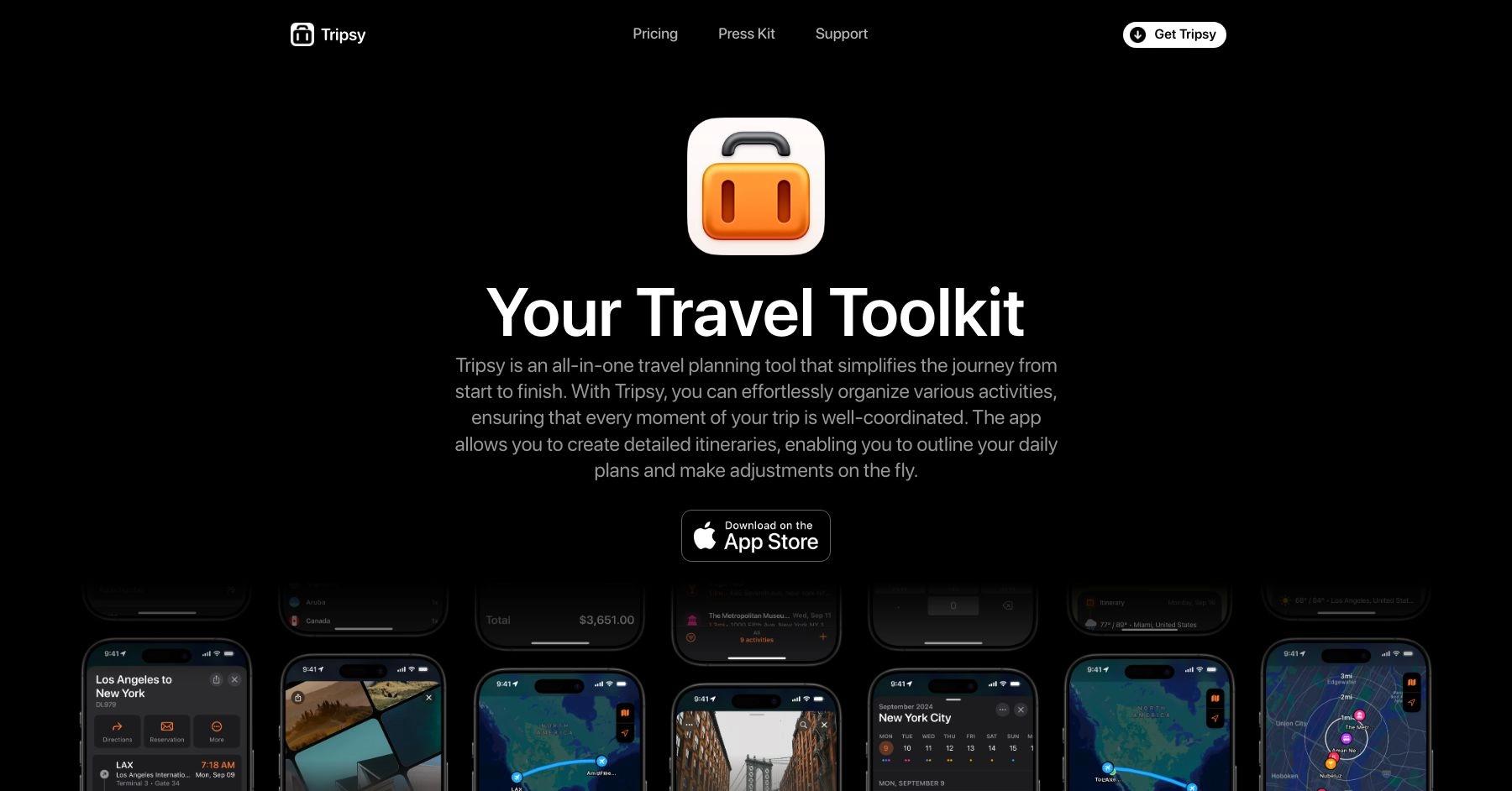
What is Tripsy?
Tripsy is a travel planning app that lets you organize itineraries, reservations, and activities in one place. Features include offline access, calendar integration, and collaborative trip sharing, with support for flights, hotels, restaurants, and more.
Pros 😊
- User-Friendly Design: Its modern and visually appealing interface makes trip planning enjoyable.
- Shareable Itineraries: Facilitates easy sharing of travel plans with others.
- Cross-Platform Support: Works seamlessly across iOS devices, with Apple Watch integration.
Cons 😭
- Apple Ecosystem Limitation: Primarily focused on iOS users, with no Android support.
- Premium Features Cost: Certain features, such as calendar syncing and advanced organization tools, require a subscription.
- Limited Collaboration: Compared to apps like Wanderlog, collaboration tools are less robust.
Tripsy represents an ambitious attempt to create the definitive travel planning app for Apple users, offering innovative email-to-itinerary automation, comprehensive collaboration tools, and deep ecosystem integration that genuinely differentiate it from competitors. The app excels in visual design, Apple ecosystem connectivity, and collaborative planning for families and groups, making it particularly valuable for iOS users who prioritize aesthetic appeal and seamless device integration.
However, significant performance issues fundamentally undermine the user experience, with widespread reports of app hanging, extremely slow save operations, and frustrating data entry processes that transform simple itinerary creation into time-consuming ordeals. The iOS-only limitation severely restricts market appeal and collaboration potential, while essential features require expensive Pro subscriptions that competitors offer for free.
Tripsy works best for dedicated Apple ecosystem users planning group or family trips who can tolerate performance limitations in exchange for superior design and integration features. The lifetime purchase option provides value for frequent travelers committed to the platform, while collaborative features genuinely excel for coordinating complex group itineraries within Apple-using families.
Consider alternatives if you need Android support, require reliable performance for quick trip updates, want comprehensive features without subscription costs, or plan to collaborate with mixed-platform groups. TripIt remains superior for business travelers and simple itinerary management, while Wanderlog offers better cross-platform collaboration and comprehensive planning tools without platform restrictions.
The app shows promise but needs significant performance optimization and broader platform support to compete effectively with established market leaders. Until these fundamental issues are addressed, Tripsy remains a niche solution for specific user types rather than a universal recommendation for travel planning.
Top Features Of Tripsy
Email-to-itinerary automation
Tripsy's standout feature allows users to forward any travel confirmation email to my@tripsy.app for automatic parsing and organization into detailed itineraries. The system intelligently extracts flight details, hotel bookings, car rentals, and restaurant reservations, then organizes them chronologically within your trip.
This progressive enhancement system improves daily with expanded parser support, making trip creation increasingly effortless. The automation works with most major travel providers and eliminates the tedium of manual data entry.
Deep Apple ecosystem integration
Tripsy provides seamless connectivity across iPhone, iPad, Mac, and Apple Watch with native app experiences optimized for each platform. Features include Siri Shortcuts integration, interactive Home Screen widgets, Lock Screen complications, Apple Maps deep linking, and full iPad multitasking support with Split View and Slide Over functionality.
The Apple Intelligence integration enables voice commands for trip information and automated workflows, making it feel like a built-in iOS feature rather than a third-party app.
Advanced collaboration and sharing tools
The platform enables unlimited guest invitations for Pro users, allowing complete trip editing permissions for all collaborators without requiring them to have Pro subscriptions. Group members can add activities, modify itineraries, contribute expense details, and access shared documents with real-time synchronization across devices.
The system includes favorite guests functionality for frequent collaborators and advanced filtering options for managing complex group itineraries.
Comprehensive document management system
Tripsy centralizes all travel-related materials in one location with unlimited document storage in the Pro version. Users can store emails, reservations, PDFs, images, tickets, and notes with direct import from the Files app, camera capture, and full offline access to all stored materials.
This eliminates the need to juggle multiple apps or dig through email folders while traveling, keeping everything organized and accessible.
Multi-currency expense tracking and budgeting
The app supports international travel with automatic currency conversion using real exchange rates based on trip dates. Users can create custom expense categories, manage group expense contributions for transparent financial management, and export detailed reports via CSV.
This feature particularly benefits international travelers managing budgets across multiple currencies during complex trips.
Real-time flight monitoring and notifications
Tripsy provides push notifications for gate changes, delays, departure times, terminal assignments, and baggage claim information with intensified monitoring 48 hours before departure.
The system automatically manages timezone changes and displays all timezone information directly in the itinerary, eliminating confusion about local versus home times during travel.
Visual trip planning with customizable interface
The app implements Apple's native design principles with modal cards, colorful category icons, and customizable backgrounds using Unsplash integration.
Users can create custom routes with estimated travel times, organize activities by proximity, and utilize over 40 activity categories with professionally designed icons for comprehensive trip visualization that makes planning enjoyable.
Weather and location intelligence features
Integrated 10-day weather forecasts for all trip locations combine with automatic timezone management for comprehensive trip awareness.
The system includes Apple Maps integration for point-of-interest imports with automatic phone numbers and web addresses, plus offline location search functionality that prioritizes hotels and key destinations.
TripIt import and migration tools
Users can easily migrate existing trips from TripIt and other platforms through dedicated import features. The system maintains formatting and organization while adding Tripsy's enhanced features like collaboration tools and document management. This migration capability reduces friction for users switching from other travel planning platforms.
Offline functionality with optional cloud sync
Complete offline access to itineraries, documents, and trip information ensures functionality without internet connectivity. All forwarded emails and stored documents remain available offline, with optional cloud sync for users who want cross-device synchronization.
This architecture provides security and accessibility for international travel or remote destinations.
Apple Watch and widget integration
Native Apple Watch app provides quick itinerary access through complications and dedicated functionality for travelers who prefer wearable access. Interactive widgets keep important information accessible from the home screen without opening the main app, while Siri integration allows voice commands for finding activities and managing trips.
5 Reasons You'll Love Using Tripsy 😍
1. Unmatched Apple ecosystem experience
Experience seamless integration across iPhone, iPad, Mac, and Apple Watch that feels like native iOS functionality rather than a third-party app. iPad users benefit from full multiwindow support and Slide Over multitasking, while Siri integration and interactive widgets provide convenient access without constant app switching.
2. Effortless automation eliminates manual work
Simply forward confirmation emails to create detailed itineraries automatically, while intelligent parsing continuously improves to handle more travel providers. The system manages timezone changes, organizes chronologically, and eliminates tedious data entry that plagues other travel planning apps.
3. Superior group collaboration without subscription barriers
Unlike competitors who charge for basic sharing, Tripsy Pro enables unlimited guest invitations with full editing permissions. Everyone can contribute activities, expenses, and notes in real-time while accessing shared documents, transforming chaotic group coordination into streamlined collaboration.
4. Beautiful design meets comprehensive organization
Enjoy planning through customizable interfaces with background images, professional activity icons, and proximity-based sorting that creates logical trip flows. The visual approach makes trip management enjoyable rather than tedious, with modular design letting you customize exactly what information appears.
5. Privacy-focused with complete offline access
Your travel data remains secure with optional cloud sync while maintaining full offline functionality for all features. This approach provides peace of mind for security-conscious travelers while ensuring itinerary access in areas with poor connectivity, ideal for international or remote travel.
5 Reasons You Might Not Love Using Tripsy 😡
1. Severe performance issues plague basic functionality
Users consistently report frequent app hanging, save operations taking up to 4 minutes, and data entry processes requiring extensive time due to system lag. Many describe the app becoming unresponsive during basic operations, forcing workarounds instead of normal save functions, creating frustrating delays that make simple itinerary updates extraordinarily time-consuming.
2. iOS-only platform severely limits accessibility
Tripsy remains exclusively for Apple devices without Android support or functional web editing interface. This fundamental limitation excludes Android users entirely and creates collaboration barriers with mixed-platform groups, forcing complete dependence on Apple hardware for trip management and preventing access from Windows PCs or other devices.
3. Essential features locked behind expensive paywall
Core functionality like trip sharing, cloud sync, and collaboration requires Pro subscription costing $39-59 annually, while competitors offer similar features free. Users frequently complain the free version provides minimal functionality, making the pricing structure feel restrictive since basic collaboration requires premium subscription.
4. Frustrating location search and data entry problems
Users report locations failing to appear in search results, difficulty finding restaurants and lodging, and labor-intensive manual activity addition processes. Flight entry becomes problematic with connecting flights, while the search limitations force users to work around the system rather than benefit from streamlined functionality.
5. Limited functionality compared to established competitors
Key features lag behind alternatives, with directions showing static map images instead of turn-by-turn navigation, photos uploading as generic documents without thumbnails, and missing budget tracking available in competing apps. Customer service responsiveness issues compound these problems, with users reporting no response to support requests.
Tripsy FAQs
How much does Tripsy cost?
Tripsy offers a limited free version with basic trip creation capabilities. Tripsy Pro costs $39-59 per year or $9.99 per month, with a lifetime option for $199. Pro includes unlimited trips, cloud sync, flight alerts, email automation, unlimited document storage, calendar integration, weather forecasts, and unlimited guest collaboration. A 7-day free trial allows testing Pro features before purchase.
What platforms does Tripsy support?
Tripsy is exclusively available for Apple devices including iPhone, iPad, Mac, Apple Watch, and Apple Vision Pro. There is no Android app or functional web editing interface, making it unsuitable for cross-platform users or groups with mixed device preferences. All collaborators must use iOS devices to fully participate in trip editing.
How does the email forwarding feature work?
Forward any travel confirmation email to my@tripsy.app and Tripsy automatically parses flight details, hotel bookings, car rentals, and restaurant reservations into your itinerary. The system organizes information chronologically and continues improving its parsing capabilities. This feature requires a Pro subscription and works with most major travel providers.
Can I collaborate with others on trip planning?
Yes, but unlimited guest invitations require a Pro subscription. Collaborators can add activities, modify itineraries, contribute expenses, and access shared documents with real-time synchronization. Guests don't need their own Pro subscription but must use iOS devices to fully participate in editing. The free version allows very limited sharing functionality.
How does Tripsy compare to other travel planning apps?
Tripsy excels in visual design, Apple ecosystem integration, and collaborative planning, particularly for family and group travel. However, it suffers from significant performance issues and iOS-only limitations. TripIt offers better performance and cross-platform availability for business travelers, while Wanderlog provides superior discovery tools and comprehensive cross-platform collaboration without platform restrictions.
Does Tripsy work offline?
Yes, Tripsy provides complete offline access to itineraries, documents, and trip information without internet connectivity. All forwarded emails and stored documents remain available offline, with optional cloud sync for users who want cross-device synchronization. This makes it suitable for international travel or areas with poor connectivity, though performance issues may still affect the offline experience.
Summary: Which Is Best For You?
The choice between TripIt and Stippl ultimately comes down to your priorities and tolerance for technical issues. Stippl offers the more ambitious and feature-rich experience with unique capabilities like 3D trip video generation, AI-powered planning, and comprehensive social sharing tools that make it particularly appealing for adventure travelers and content creators. Its all-in-one approach genuinely consolidates planning, budgeting, collaboration, and documentation in ways that TripIt doesn't match.
However, Stippl's innovative features come at a significant cost in reliability. Frequent crashes, sync issues, limited location databases, and poor customer support make it feel more like a beta product than a dependable travel companion. For important trips where you need consistent access to your itinerary, Stippl's technical instability poses real risks.
TripIt takes the opposite approach, prioritizing reliability and core functionality over flashy features. Its industry-leading email parsing works consistently, offers superior flight tracking with real-time alerts, and provides the stable experience that travel organization requires. While it lacks Stippl's cutting-edge features and social elements, it delivers on the fundamental promise of organizing your trips without frustration or technical failures.
The verdict: Choose Stippl if you're an adventure traveler or content creator who values innovative features and can tolerate technical issues as the price of accessing unique capabilities like AI planning and 3D content generation. Choose TripIt if you prioritize reliability, need proven functionality for business travel, or require a dependable tool where consistent access to your information is essential.
Frequently Asked Questions
Which devices do these apps work on?
Wanderlog works on iOS, Android, and web browsers, making it accessible regardless of what devices you or your travel companions use.
Tripsy only works within the Apple ecosystem (iPhone, iPad, Mac, Apple Watch). If anyone in your travel group uses Android devices, they won't be able to use Tripsy.
Which offers better visual planning and organization?
Tripsy excels with its modern, intuitive interface featuring proximity-based activity sorting (organize by distance from your hotel), beautiful map views, and polished visual design.
Wanderlog offers good visual planning with map integration, but the interface is more functional than beautiful, focusing more on comprehensive features than visual polish.
How do these apps compare for group travel?
Wanderlog offers robust collaborative features that work across all devices, making it easy for mixed-device groups to plan together with shared budgets and real-time editing.
Tripsy has excellent collaborative planning features, but only works if everyone in your group uses Apple devices. Within the Apple ecosystem, the collaboration experience is very smooth.
Which is more reliable for important trips?
Wanderlog has proven reliability across multiple platforms and has been stable for years, making it dependable for important travel planning.
Tripsy is a newer platform with some reported UI quirks and occasional bugs. While feature-rich, it may be less reliable for critical trip planning where consistency is essential.
How do the pricing models compare?
Wanderlog offers a comprehensive free version that covers most users' needs, with Pro features around $40-60/year for enhanced collaboration and advanced tools.
Tripsy has a free version with limited features, Tripsy Pro at $39.99/year, and uniquely offers a $199 lifetime plan if you want to avoid recurring subscriptions and are committed to the Apple ecosystem long-term.