

Overview
| Feature Category | TripIt | Tripsy |
|---|---|---|
| PRICING | ||
| Free Version | ✅ Good - Basic itinerary organization | ✅ Good - Core planning features available |
| Premium Price | TripIt Pro: $49/year | Tripsy Pro: $39.99/year ($4.99/month) |
| Free Trial | 30 days | 7 days |
| PRIMARY PURPOSE | ||
| Core Function | Travel organization & itinerary management | Comprehensive trip planning & visual organization |
| Planning vs Organization | Organization of existing bookings only | Active trip planning and detailed itinerary creation |
| Innovation Level | ⚠️ Traditional, established approach | ✅ Modern design with visual planning tools |
| RELIABILITY & STABILITY | ||
| App Stability | ✅ Highly reliable, rarely crashes | ⚠️ Some UI quirks and occasional bugs reported |
| Customer Support | ✅ Responsive, established support | ⚠️ Mixed reviews, slower response times |
| Data Reliability | ✅ Excellent email parsing accuracy | ✅ Good email forwarding system |
| Platform Maturity | ✅ Established platform since 2006 | ⚠️ Newer platform, major update in 2024 |
| CORE FEATURES | ||
| Email Integration | ✅ Automatic email parsing excellence | ✅ Email forwarding for reservations |
| Trip Planning | ❌ No planning tools | ✅ Map-based visual planning with proximity sorting |
| Real-time Alerts | ✅ Flight delays, gate changes (Pro) | ✅ Flight notifications and updates |
| Budget Tracking | ⚠️ Basic cost entry only | ✅ Multi-currency expense tracking |
| Document Storage | ✅ Secure document vault | ✅ Document storage with trip integration |
| INNOVATIVE FEATURES | ||
| Visual Planning | ❌ Text-based itineraries only | ✅ Map-based interface with visual organization |
| Weather Integration | ✅ Weather forecasts | ✅ 10-day weather forecast on itinerary |
| Collaboration Features | ⚠️ Limited sharing capabilities | ✅ Group planning and collaborative editing |
| Location Intelligence | ❌ No proximity-based features | ✅ Sort activities by hotel proximity |
| Customization | ❌ Fixed interface and layout | ✅ Customizable overview and widgets |
| BUSINESS TRAVEL | ||
| Business Focus | ✅ Excellent for business travelers | ⚠️ More leisure-focused |
| Flight Management | ✅ Superior flight tracking & alerts | ✅ Good flight tracking capabilities |
| Loyalty Programs | ✅ Points/miles tracking (Pro) | ❌ No loyalty integration |
| Calendar Integration | ✅ Syncs with major calendar apps | ✅ Calendar sync (Pro) |
| Corporate Integration | ✅ Concur/SAP enterprise integration | ❌ No corporate travel features |
| COLLABORATION | ||
| Trip Sharing | ✅ Easy sharing with contacts | ✅ Family and group sharing features |
| Group Planning | ⚠️ View-only sharing mostly | ✅ Collaborative planning and editing |
| Real-time Collaboration | ❌ No collaborative editing | ✅ Real-time group trip updates |
| USE CASE FOCUS | ||
| Travel Type | All travel types (business-optimized) | Leisure travel, family trips, group vacations |
| Geographic Coverage | ✅ Worldwide | ✅ Worldwide |
| Offline Access | ✅ Reliable offline itinerary access | ✅ Offline access available |
| Platform Support | ✅ iOS, Android, Web | ⚠️ Apple ecosystem only (iOS, Mac, iPad) |
| LIMITATIONS | ||
| Major Weaknesses | No planning tools, dated interface, reactive only | Apple-only, some bugs, newer platform risks |
| Risk Factor | ✅ Low risk - dependable for important trips | ⚠️ Medium risk - evolving platform stability |
TLDR: Which Platform Should You Choose?
Choose TripIt if you:
- Travel frequently for business with complex itineraries
- Need reliable real-time flight alerts and gate changes
- Want automatic email parsing that works with any booking site
- Prefer organization over planning (you book elsewhere)
- Use corporate travel systems or need Concur integration
- Value proven reliability over modern design
- Need cross-platform support (Android, iOS, Web)
Choose Tripsy if you:
- Want comprehensive trip planning with visual maps
- Take family vacations or group trips requiring coordination
- Prefer modern, intuitive interface design
- Need collaborative planning features for shared trips
- Want detailed expense tracking with multiple currencies
- Use Apple devices exclusively and love ecosystem integration
- Value active planning over passive organization
Bottom line
TripIt = Reliable business travel organizer
TripIt offers proven reliability for organizing travel logistics with superior flight tracking, making it ideal for business travelers and frequent flyers where consistency matters most.
Tripsy = Modern visual trip planner
Tripsy provides modern visual planning tools with excellent collaboration features, perfect for leisure travelers and families who want to actively plan detailed, coordinated trips.
Choose based on whether you prioritize time-tested reliability (TripIt) or comprehensive modern planning capabilities (Tripsy).
What is TripIt?
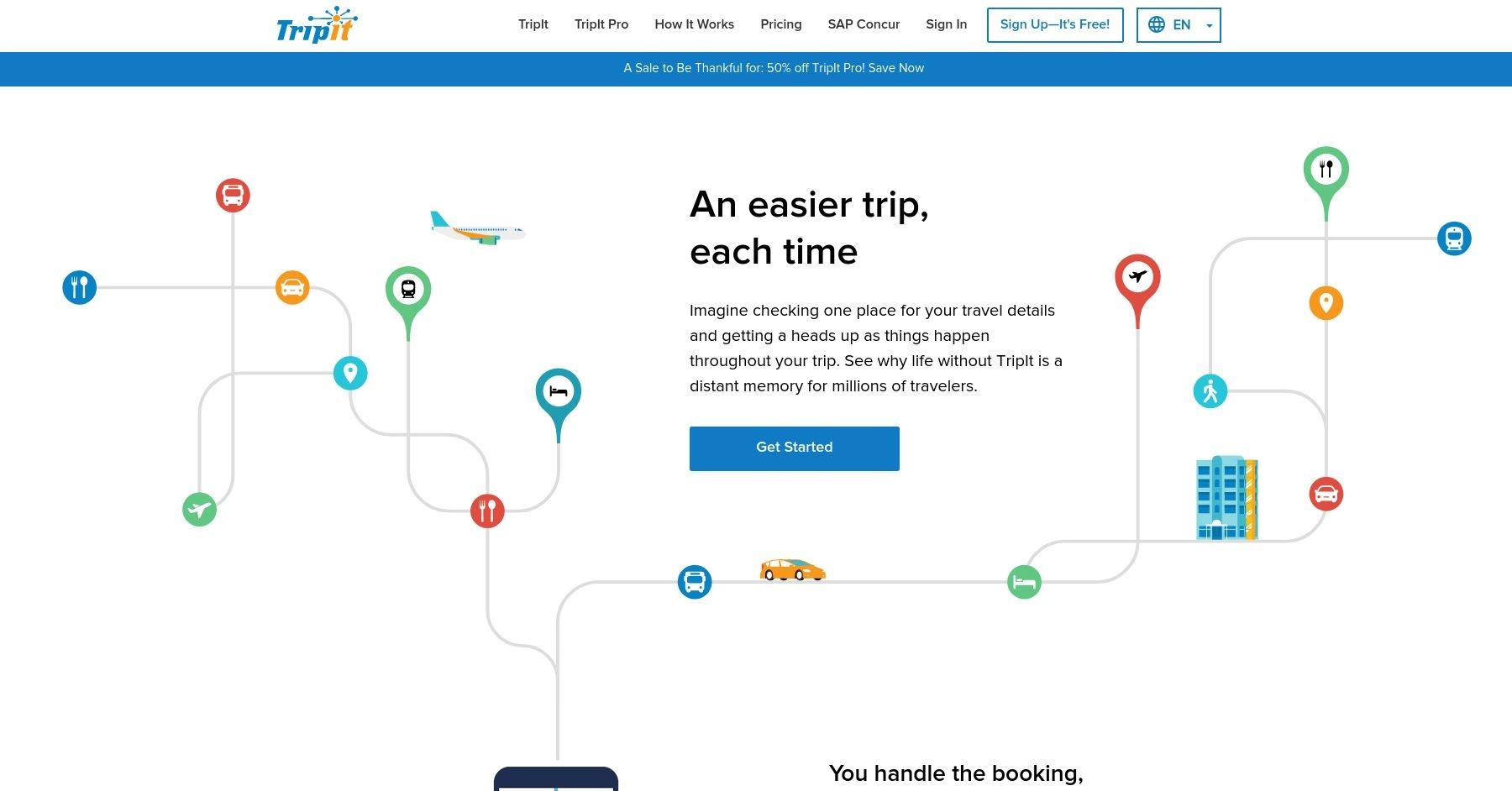
TripIt simplifies travel organization by creating a single comprehensive itinerary from your booking confirmations. With both free and premium options, it offers features like real-time flight alerts, gate updates, and neighborhood safety scores. Users can sync plans across devices, share trips with others, and track their carbon footprint.
Pros 😊
- Ease of Organization: TripIt excels in automatically compiling travel plans by scanning email confirmations for flights, hotels, and car rentals. Users love the convenience of having a centralized, well-organized itinerary without manual input.
- Real-Time Travel Updates (Pro): Frequent travelers appreciate the Pro version for its real-time flight alerts, including delays, cancellations, and gate changes. This feature is particularly valuable for navigating travel disruptions.
- Accessibility Across Devices: TripIt works seamlessly across mobile devices, tablets, and desktops, and it even integrates with calendars. Users find this cross-platform availability helpful for accessing plans on the go.
"TripIt has helped me stay organized on all of my trips!! It places all of my complex trip details in one well organized location and has served me better than a hundred travel agents!! Plus its lited in a fun way and I've loved being able to go back through a 10 year history of trips remembering each flight, lay over, cruise, car rental, hotel, & excursion with fondness!! Anyone serious about their travel adventures absolutely must have this 5 star travel app!!!!"
Cons 😭
- Dependency on Email Parsing: TripIt’s reliance on email parsing can sometimes lead to issues if emails are not formatted as expected or if plans are booked through unsupported platforms, requiring manual adjustments.
- Subscription Cost for Premium Features: TripIt’s most valuable features, such as real-time alerts and seat tracking, are locked behind a subscription. Some users feel the cost doesn’t always justify the benefits, especially for occasional travelers.
- Interface Usability: While functional, some users criticize the app’s interface as outdated or less intuitive compared to newer travel apps, making navigation and accessing features less seamless.
"I'll update my review when TripIt fixes their app! I've been using it for years and within the last month it's suddenly gotten all glitchy. The app seems to keep resetting because it won't keep my trips. I've built multiple itineraries and they keep disappearing. I have to be online and reload the app to see my information. I've uninstalled and reinstalled multiple times with no luck. I even put in a support ticket and the response I got back was, 'you can still access trip through the web.'"
TripIt is a powerful travel organization tool that simplifies itinerary management by automatically compiling trip details from confirmation emails. With all your flights, hotels, car rentals, and activities stored in one place, it offers a seamless way to stay on top of your travel plans.
The ability to access itineraries offline, sync with calendars, and receive real-time flight alerts (with the Pro version) makes it especially useful for frequent travelers. Its straightforward automation ensures that users spend less time organizing and more time enjoying their trips.
However, TripIt isn't without its drawbacks. Many of its best features, such as real-time flight updates, alternative flight suggestions, and security line wait times, are locked behind the Pro subscription, which may not be worth the cost for casual travelers. Additionally, the app doesn’t offer direct booking options, and some may find its interface slightly dated.
Still, for those who frequently travel and want a hassle-free way to keep all their plans in one place, TripIt remains one of the most reliable travel planning tools available.
Top Features Of TripIt
Automatic itinerary creation
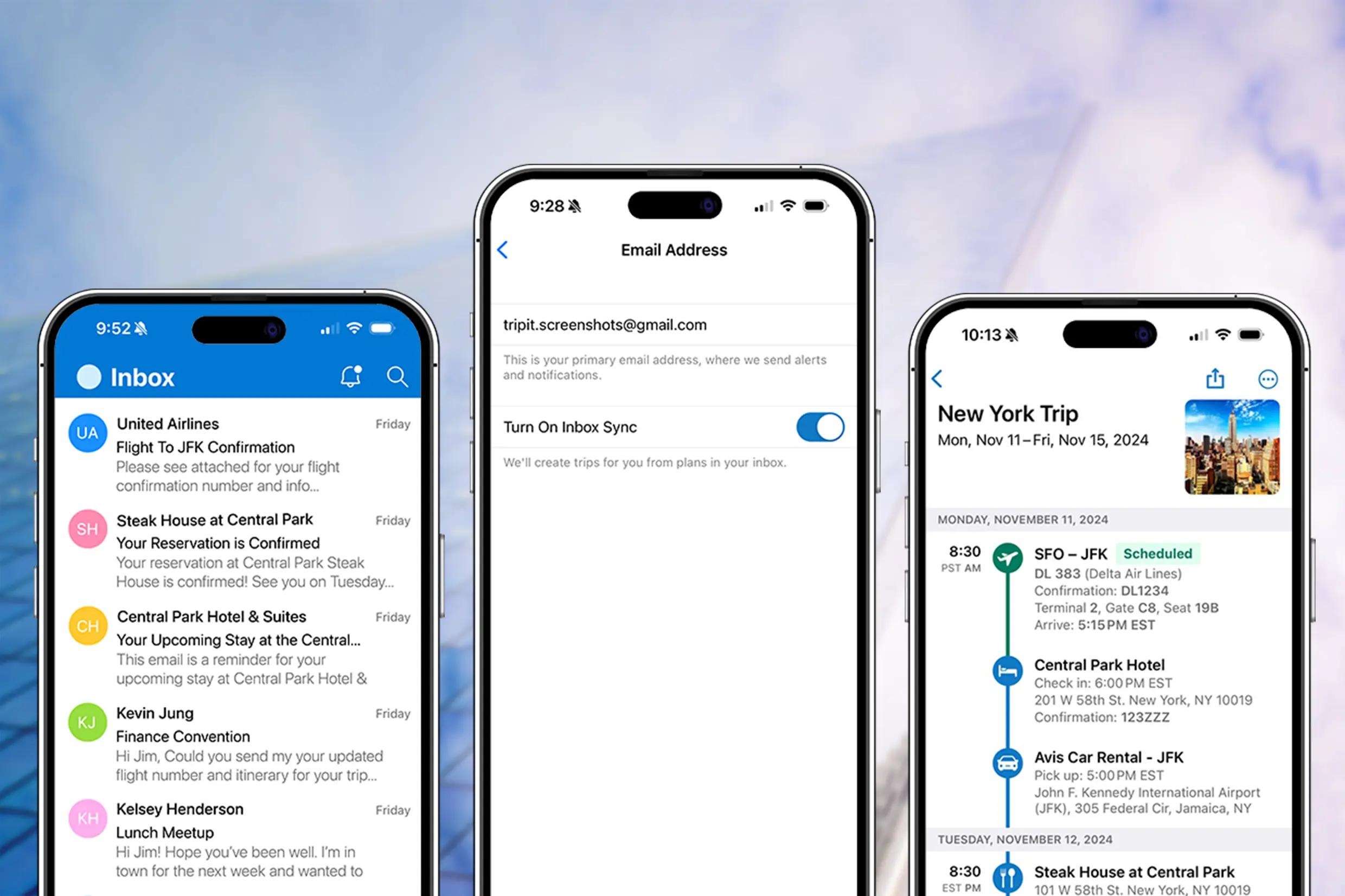
One of TripIt’s standout features is its ability to automatically generate travel itineraries. Users simply forward their confirmation emails for flights, hotels, rental cars, and other bookings to plans@tripit.com, and the app organizes all the details into a structured itinerary. For even more convenience, TripIt can sync with email providers like Gmail, Outlook, and Yahoo to detect and import bookings automatically.
This eliminates the need for manual data entry, saving time and reducing the chances of missing important trip details.
Centralized travel itinerary
TripIt acts as a one-stop hub for all travel-related plans, making it easy to keep track of flights, accommodations, car rentals, restaurant reservations, and activities.
The app consolidates everything into a single, easy-to-read itinerary that updates in real time. Even better, it organizes multiple trips separately, so frequent travelers can quickly switch between upcoming itineraries. This means no more digging through emails or scrambling to find booking details while on the go.
Works offline
A key advantage of TripIt is that users can access their itineraries even without an internet connection.
This is particularly useful for international travelers who may not always have reliable mobile data or Wi-Fi. Once an itinerary is created, all trip details are stored locally on the device, allowing travelers to check flight information, hotel addresses, and activity schedules anytime, anywhere.
Real-time flight alerts (Pro version)
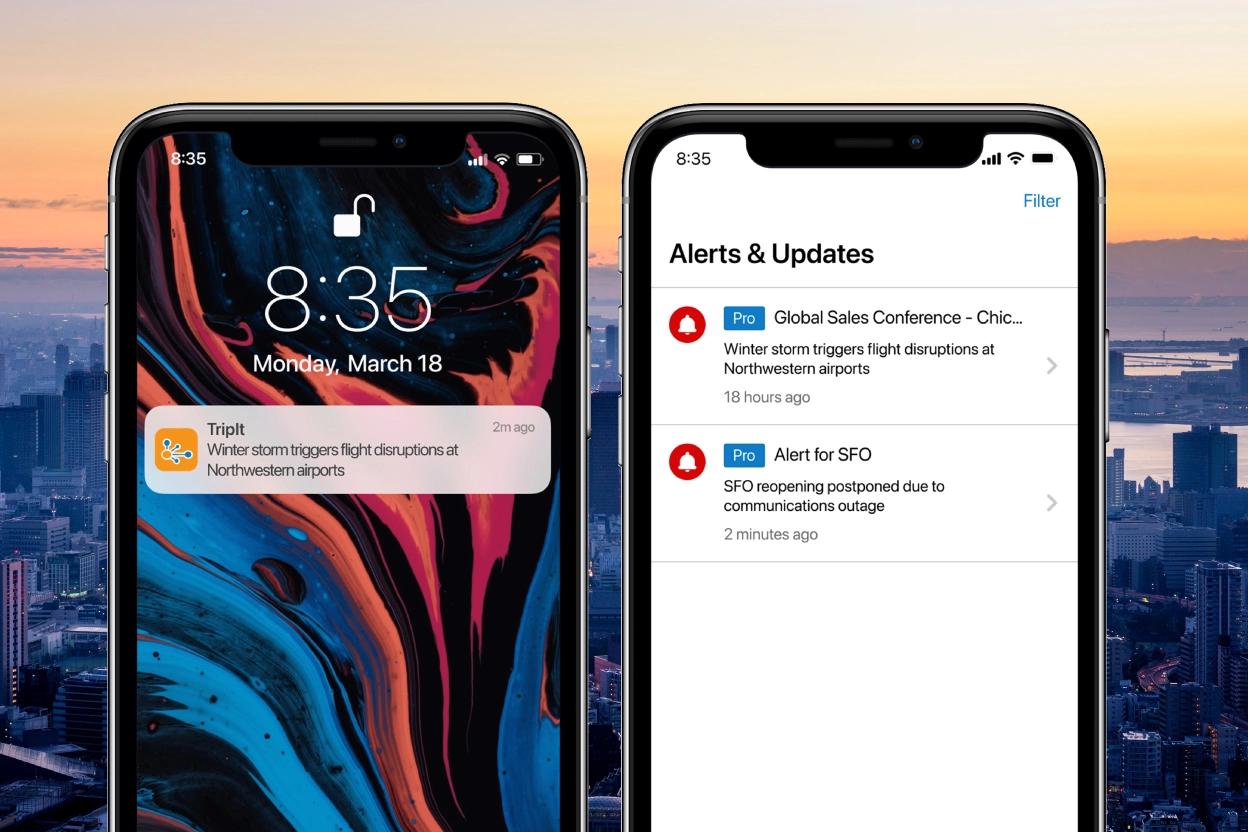
TripIt Pro offers real-time flight alerts, notifying users about delays, gate changes, and cancellations before airlines even send out notifications.
This feature can be a game-changer for frequent flyers, as it helps them adjust plans quickly and avoid unnecessary stress at the airport. Additionally, Pro users get baggage claim details upon landing, reducing the time spent searching for luggage carousels.
Alternative flight suggestions (Pro version)
If a flight is canceled or delayed, TripIt Pro provides alternative flight options, helping users find a new route to their destination.
This feature is especially useful for business travelers or those on tight schedules, as it eliminates the hassle of searching for backup flights manually. It also provides details on available seats, departure times, and airline contact information, making it easier to rebook quickly.
Airport and travel assistance (Pro version)
Navigating large airports can be overwhelming, but TripIt Pro offers interactive airport maps to help users find gates, lounges, restaurants, and other essential services.
Additionally, Pro users receive security line wait times, which can help them plan ahead and avoid unnecessary delays at TSA checkpoints. For those who frequently travel through unfamiliar airports, this feature can make layovers and transfers significantly smoother.
Travel document storage
TripIt provides a secure space to store important travel documents, such as passport copies, travel insurance details, and visa information.
Having everything accessible in one app eliminates the need to carry physical copies, reducing the risk of losing crucial documents while traveling. This feature is especially helpful for international travelers who need quick access to paperwork for border crossings or airline check-ins.
Calendar syncing
TripIt seamlessly integrates with calendar apps like Google Calendar, Outlook, and Apple Calendar.
Once linked, all upcoming trips automatically appear in the user’s schedule, ensuring they never forget flight times, hotel check-ins, or activity bookings. This feature is especially helpful for business travelers who juggle multiple meetings and trips, as it keeps everything aligned in one place.
Expense & carbon footprint tracking (Pro version)
TripIt Pro includes an expense tracking tool, allowing users to log travel-related costs such as airfare, hotel stays, and dining expenses.
This is particularly beneficial for business travelers who need to submit expense reports. Additionally, TripIt tracks carbon emissions from flights and provides recommendations for offsetting one’s environmental impact. This feature is great for eco-conscious travelers who want to reduce their carbon footprint while flying.
Team & group travel coordination
For those traveling with family, friends, or colleagues, TripIt makes it easy to share itineraries so everyone stays informed.
Users can grant others access to their trip details, ensuring that travel companions know the flight schedule, hotel information, and planned activities. This feature is particularly useful for corporate travel, where teams need to stay coordinated on business trips.
No ads (Pro version)
TripIt Pro removes all advertisements, providing a cleaner, distraction-free experience. While the free version includes some ads, upgrading to Pro ensures a seamless interface with no interruptions. This is a small but appreciated benefit for users who prefer an uncluttered experience.
5 Reasons You'll Love Using TripIt 😍
1. Automatic itinerary creation
Simply forward confirmation emails, and TripIt organizes everything into a neat, easy-to-access itinerary.
2. All travel details in one place
Flights, hotels, car rentals, and activities are stored in a single, centralized location.
3. Real-time flight alerts (Pro version)
Get notified about delays, cancellations, gate changes, and baggage claim updates.
4. Works offline
Access your itinerary even without an internet connection.
5. Calendar Syncing
Seamlessly integrates with Google, Outlook, and Apple calendars for easy scheduling.
5 Reasons You Might Not Love Using TripIt 😡
1. Limited features in the free version
Many of the best features (like real-time flight alerts and seat tracking) require the paid Pro version.
2. Email access required for automation
TripIt scans your inbox for travel confirmations, which some users might find intrusive.
3. No direct booking
Unlike some competitors, TripIt doesn’t allow you to book flights, hotels, or activities directly within the app.
4. Interface can feel cluttered
While functional, the app's layout might feel overwhelming or outdated compared to more modern travel apps.
5. Subscription cost for Pro features
The Pro version costs $49/year, which might not be worth it for infrequent travelers.
TripIt FAQs
Is TripIt free to use?
Yes, TripIt offers a free version that provides basic itinerary management, allowing users to forward confirmation emails and organize their travel plans. However, TripIt Pro ($49/year) includes additional features like real-time flight alerts, seat tracking, and alternative flight suggestions.
Is TripIt Pro worth it?
It depends on how often you travel. If you fly frequently, the real-time flight alerts, security line wait times, and seat upgrade tracking can be valuable. However, if you only travel occasionally, the free version may be enough for keeping your itineraries organized.
Does TripIt work offline?
Yes! Once your itinerary is saved in TripIt, you can access it offline, making it useful when traveling in areas with limited internet access.
Does TripIt automatically sync travel plans?
Yes, if you connect your email (Gmail, Outlook, etc.), TripIt can automatically scan for confirmation emails and add them to your itinerary. Alternatively, you can manually forward emails to plans@tripit.com to organize your trips.
How does TripIt compare to Google Travel?
Both apps organize travel plans, but TripIt provides a more structured itinerary and real-time alerts (with Pro). Google Travel is free and integrates well with Google services but lacks detailed flight tracking and advanced alerts. If you want proactive travel updates, TripIt Pro is a better choice, but if you prefer a free, basic solution, Google Travel might be sufficient.
What is Tripsy?
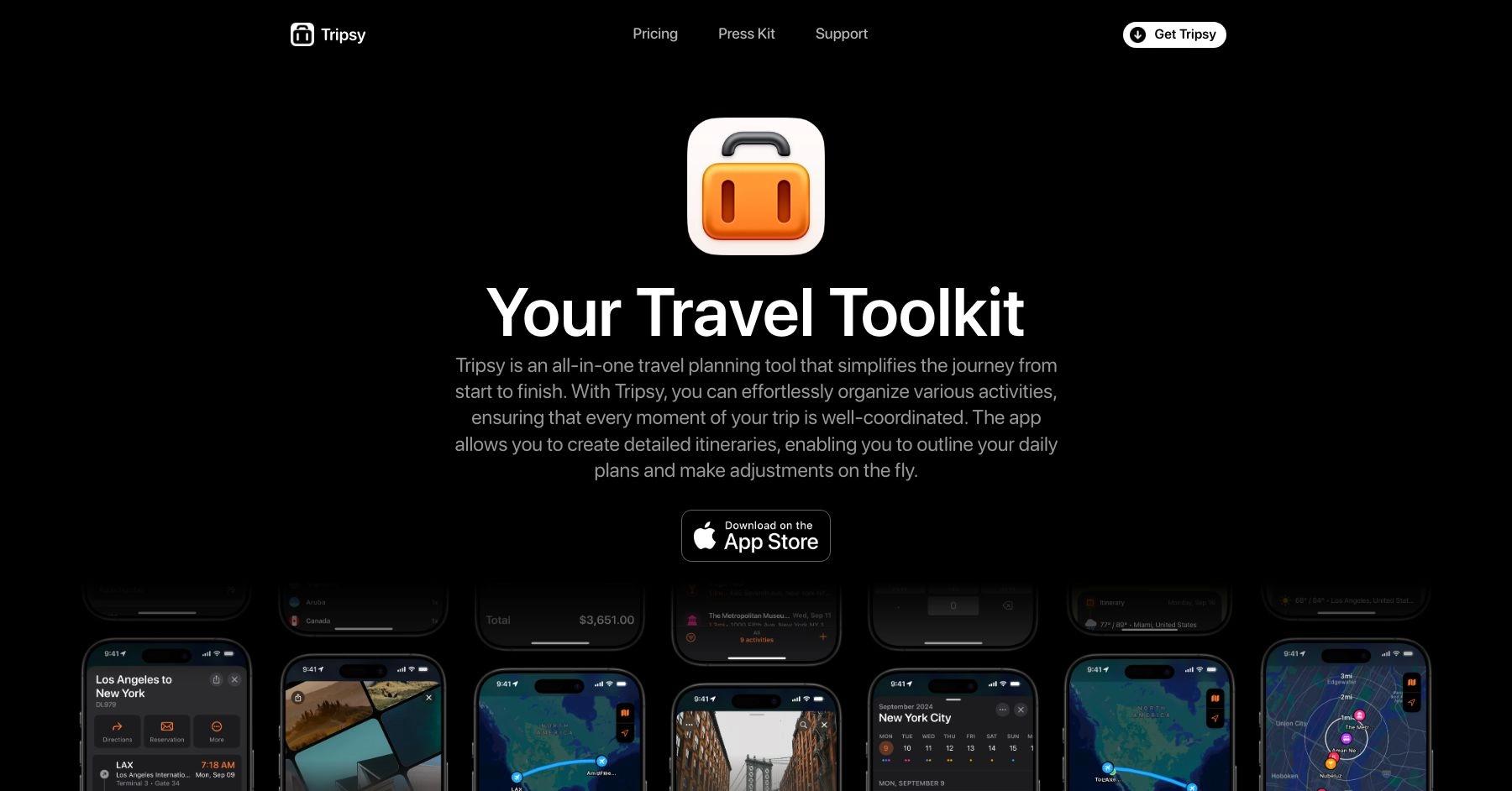
Tripsy is a travel planning app that lets you organize itineraries, reservations, and activities in one place. Features include offline access, calendar integration, and collaborative trip sharing, with support for flights, hotels, restaurants, and more.
Pros 😊
- User-Friendly Design: Its modern and visually appealing interface makes trip planning enjoyable.
- Shareable Itineraries: Facilitates easy sharing of travel plans with others.
- Cross-Platform Support: Works seamlessly across iOS devices, with Apple Watch integration.
Cons 😭
- Apple Ecosystem Limitation: Primarily focused on iOS users, with no Android support.
- Premium Features Cost: Certain features, such as calendar syncing and advanced organization tools, require a subscription.
- Limited Collaboration: Compared to apps like Wanderlog, collaboration tools are less robust.
Tripsy represents an ambitious attempt to create the definitive travel planning app for Apple users, offering innovative email-to-itinerary automation, comprehensive collaboration tools, and deep ecosystem integration that genuinely differentiate it from competitors. The app excels in visual design, Apple ecosystem connectivity, and collaborative planning for families and groups, making it particularly valuable for iOS users who prioritize aesthetic appeal and seamless device integration.
However, significant performance issues fundamentally undermine the user experience, with widespread reports of app hanging, extremely slow save operations, and frustrating data entry processes that transform simple itinerary creation into time-consuming ordeals. The iOS-only limitation severely restricts market appeal and collaboration potential, while essential features require expensive Pro subscriptions that competitors offer for free.
Tripsy works best for dedicated Apple ecosystem users planning group or family trips who can tolerate performance limitations in exchange for superior design and integration features. The lifetime purchase option provides value for frequent travelers committed to the platform, while collaborative features genuinely excel for coordinating complex group itineraries within Apple-using families.
Consider alternatives if you need Android support, require reliable performance for quick trip updates, want comprehensive features without subscription costs, or plan to collaborate with mixed-platform groups. TripIt remains superior for business travelers and simple itinerary management, while Wanderlog offers better cross-platform collaboration and comprehensive planning tools without platform restrictions.
The app shows promise but needs significant performance optimization and broader platform support to compete effectively with established market leaders. Until these fundamental issues are addressed, Tripsy remains a niche solution for specific user types rather than a universal recommendation for travel planning.
Top Features Of Tripsy
Email-to-itinerary automation
Tripsy's standout feature allows users to forward any travel confirmation email to my@tripsy.app for automatic parsing and organization into detailed itineraries. The system intelligently extracts flight details, hotel bookings, car rentals, and restaurant reservations, then organizes them chronologically within your trip.
This progressive enhancement system improves daily with expanded parser support, making trip creation increasingly effortless. The automation works with most major travel providers and eliminates the tedium of manual data entry.
Deep Apple ecosystem integration
Tripsy provides seamless connectivity across iPhone, iPad, Mac, and Apple Watch with native app experiences optimized for each platform. Features include Siri Shortcuts integration, interactive Home Screen widgets, Lock Screen complications, Apple Maps deep linking, and full iPad multitasking support with Split View and Slide Over functionality.
The Apple Intelligence integration enables voice commands for trip information and automated workflows, making it feel like a built-in iOS feature rather than a third-party app.
Advanced collaboration and sharing tools
The platform enables unlimited guest invitations for Pro users, allowing complete trip editing permissions for all collaborators without requiring them to have Pro subscriptions. Group members can add activities, modify itineraries, contribute expense details, and access shared documents with real-time synchronization across devices.
The system includes favorite guests functionality for frequent collaborators and advanced filtering options for managing complex group itineraries.
Comprehensive document management system
Tripsy centralizes all travel-related materials in one location with unlimited document storage in the Pro version. Users can store emails, reservations, PDFs, images, tickets, and notes with direct import from the Files app, camera capture, and full offline access to all stored materials.
This eliminates the need to juggle multiple apps or dig through email folders while traveling, keeping everything organized and accessible.
Multi-currency expense tracking and budgeting
The app supports international travel with automatic currency conversion using real exchange rates based on trip dates. Users can create custom expense categories, manage group expense contributions for transparent financial management, and export detailed reports via CSV.
This feature particularly benefits international travelers managing budgets across multiple currencies during complex trips.
Real-time flight monitoring and notifications
Tripsy provides push notifications for gate changes, delays, departure times, terminal assignments, and baggage claim information with intensified monitoring 48 hours before departure.
The system automatically manages timezone changes and displays all timezone information directly in the itinerary, eliminating confusion about local versus home times during travel.
Visual trip planning with customizable interface
The app implements Apple's native design principles with modal cards, colorful category icons, and customizable backgrounds using Unsplash integration.
Users can create custom routes with estimated travel times, organize activities by proximity, and utilize over 40 activity categories with professionally designed icons for comprehensive trip visualization that makes planning enjoyable.
Weather and location intelligence features
Integrated 10-day weather forecasts for all trip locations combine with automatic timezone management for comprehensive trip awareness.
The system includes Apple Maps integration for point-of-interest imports with automatic phone numbers and web addresses, plus offline location search functionality that prioritizes hotels and key destinations.
TripIt import and migration tools
Users can easily migrate existing trips from TripIt and other platforms through dedicated import features. The system maintains formatting and organization while adding Tripsy's enhanced features like collaboration tools and document management. This migration capability reduces friction for users switching from other travel planning platforms.
Offline functionality with optional cloud sync
Complete offline access to itineraries, documents, and trip information ensures functionality without internet connectivity. All forwarded emails and stored documents remain available offline, with optional cloud sync for users who want cross-device synchronization.
This architecture provides security and accessibility for international travel or remote destinations.
Apple Watch and widget integration
Native Apple Watch app provides quick itinerary access through complications and dedicated functionality for travelers who prefer wearable access. Interactive widgets keep important information accessible from the home screen without opening the main app, while Siri integration allows voice commands for finding activities and managing trips.
5 Reasons You'll Love Using Tripsy 😍
1. Unmatched Apple ecosystem experience
Experience seamless integration across iPhone, iPad, Mac, and Apple Watch that feels like native iOS functionality rather than a third-party app. iPad users benefit from full multiwindow support and Slide Over multitasking, while Siri integration and interactive widgets provide convenient access without constant app switching.
2. Effortless automation eliminates manual work
Simply forward confirmation emails to create detailed itineraries automatically, while intelligent parsing continuously improves to handle more travel providers. The system manages timezone changes, organizes chronologically, and eliminates tedious data entry that plagues other travel planning apps.
3. Superior group collaboration without subscription barriers
Unlike competitors who charge for basic sharing, Tripsy Pro enables unlimited guest invitations with full editing permissions. Everyone can contribute activities, expenses, and notes in real-time while accessing shared documents, transforming chaotic group coordination into streamlined collaboration.
4. Beautiful design meets comprehensive organization
Enjoy planning through customizable interfaces with background images, professional activity icons, and proximity-based sorting that creates logical trip flows. The visual approach makes trip management enjoyable rather than tedious, with modular design letting you customize exactly what information appears.
5. Privacy-focused with complete offline access
Your travel data remains secure with optional cloud sync while maintaining full offline functionality for all features. This approach provides peace of mind for security-conscious travelers while ensuring itinerary access in areas with poor connectivity, ideal for international or remote travel.
5 Reasons You Might Not Love Using Tripsy 😡
1. Severe performance issues plague basic functionality
Users consistently report frequent app hanging, save operations taking up to 4 minutes, and data entry processes requiring extensive time due to system lag. Many describe the app becoming unresponsive during basic operations, forcing workarounds instead of normal save functions, creating frustrating delays that make simple itinerary updates extraordinarily time-consuming.
2. iOS-only platform severely limits accessibility
Tripsy remains exclusively for Apple devices without Android support or functional web editing interface. This fundamental limitation excludes Android users entirely and creates collaboration barriers with mixed-platform groups, forcing complete dependence on Apple hardware for trip management and preventing access from Windows PCs or other devices.
3. Essential features locked behind expensive paywall
Core functionality like trip sharing, cloud sync, and collaboration requires Pro subscription costing $39-59 annually, while competitors offer similar features free. Users frequently complain the free version provides minimal functionality, making the pricing structure feel restrictive since basic collaboration requires premium subscription.
4. Frustrating location search and data entry problems
Users report locations failing to appear in search results, difficulty finding restaurants and lodging, and labor-intensive manual activity addition processes. Flight entry becomes problematic with connecting flights, while the search limitations force users to work around the system rather than benefit from streamlined functionality.
5. Limited functionality compared to established competitors
Key features lag behind alternatives, with directions showing static map images instead of turn-by-turn navigation, photos uploading as generic documents without thumbnails, and missing budget tracking available in competing apps. Customer service responsiveness issues compound these problems, with users reporting no response to support requests.
Tripsy FAQs
How much does Tripsy cost?
Tripsy offers a limited free version with basic trip creation capabilities. Tripsy Pro costs $39-59 per year or $9.99 per month, with a lifetime option for $199. Pro includes unlimited trips, cloud sync, flight alerts, email automation, unlimited document storage, calendar integration, weather forecasts, and unlimited guest collaboration. A 7-day free trial allows testing Pro features before purchase.
What platforms does Tripsy support?
Tripsy is exclusively available for Apple devices including iPhone, iPad, Mac, Apple Watch, and Apple Vision Pro. There is no Android app or functional web editing interface, making it unsuitable for cross-platform users or groups with mixed device preferences. All collaborators must use iOS devices to fully participate in trip editing.
How does the email forwarding feature work?
Forward any travel confirmation email to my@tripsy.app and Tripsy automatically parses flight details, hotel bookings, car rentals, and restaurant reservations into your itinerary. The system organizes information chronologically and continues improving its parsing capabilities. This feature requires a Pro subscription and works with most major travel providers.
Can I collaborate with others on trip planning?
Yes, but unlimited guest invitations require a Pro subscription. Collaborators can add activities, modify itineraries, contribute expenses, and access shared documents with real-time synchronization. Guests don't need their own Pro subscription but must use iOS devices to fully participate in editing. The free version allows very limited sharing functionality.
How does Tripsy compare to other travel planning apps?
Tripsy excels in visual design, Apple ecosystem integration, and collaborative planning, particularly for family and group travel. However, it suffers from significant performance issues and iOS-only limitations. TripIt offers better performance and cross-platform availability for business travelers, while Wanderlog provides superior discovery tools and comprehensive cross-platform collaboration without platform restrictions.
Does Tripsy work offline?
Yes, Tripsy provides complete offline access to itineraries, documents, and trip information without internet connectivity. All forwarded emails and stored documents remain available offline, with optional cloud sync for users who want cross-device synchronization. This makes it suitable for international travel or areas with poor connectivity, though performance issues may still affect the offline experience.
Summary: Which Is Best For You?
The choice between TripIt and Tripsy ultimately comes down to your travel type and platform preferences. Tripsy offers the more comprehensive planning experience with visual map-based interfaces, collaborative editing, and multi-currency expense tracking that make it particularly appealing for leisure travelers and families. Its modern approach consolidates active trip planning, budget management, and group coordination in ways that TripIt doesn't match.
However, Tripsy's modern features come at significant costs in platform compatibility and reliability. The Apple-only ecosystem requirement, occasional UI bugs, and newer platform stability make it feel more like a premium consumer tool than a dependable business companion. For frequent business travelers or those using Android devices, these limitations pose real constraints.
TripIt prioritizes proven organization and cross-platform reliability over modern planning features. Its industry-leading email parsing works consistently across all devices, offers superior flight tracking with real-time alerts, and provides the stable experience that business travel requires. While it lacks Tripsy's visual planning tools and modern interface, it delivers dependable trip organization without platform restrictions or stability concerns.
The verdict: Choose Tripsy if you're a leisure traveler or family using Apple devices who values modern visual planning and can tolerate occasional bugs for comprehensive trip management features. Choose TripIt if you're a business traveler, use multiple platforms, or need proven reliability for organizing existing bookings with superior flight tracking capabilities.
Frequently Asked Questions
Which app is better for business vs. leisure travel?
TripIt is specifically designed for business travelers with features like Concur integration, loyalty program tracking, alternative flight suggestions, and superior flight alerts. It excels at organizing complex business itineraries.
Tripsy is optimized for leisure travel and family trips with collaborative planning, visual maps, multi-currency expense tracking, and group coordination features that make vacation planning easier.
Do these apps work on all devices?
TripIt works on iOS, Android, and web browsers, making it accessible regardless of your device preference.
Tripsy only works within the Apple ecosystem (iPhone, iPad, Mac, Apple Watch). If you or your travel companions use Android devices, Tripsy won't work for everyone.
How much do these apps cost?
TripIt offers a good free version for basic organization, with TripIt Pro at $49/year for advanced features like flight alerts and seat tracking.
Tripsy has a free version with limited features and Tripsy Pro at $39.99/year. Uniquely, Tripsy also offers a $199 lifetime plan if you want to avoid recurring subscriptions.
Which is better for planning vs. organizing trips?
TripIt focuses purely on organizing existing bookings - you book elsewhere, then forward confirmation emails to create organized itineraries. It doesn't help with planning or discovering what to do.
Tripsy excels at active trip planning with visual maps, proximity sorting, collaborative editing, and comprehensive itinerary creation from scratch.
Which app is more reliable for important trips?
TripIt has proven reliability since 2006 with consistent performance, excellent email parsing accuracy, and dependable flight tracking that business travelers rely on.
Tripsy is a newer platform (major update in 2024) with some reported UI quirks and bugs. While feature-rich, it may be less dependable for critical business travel where consistency is essential.